How to access alternate text formats
In Student Accessibility Services, we work with Library Accessibility Services (LAS) to provide alternate text formats for students with disabilities. You must register with Student Accessibility Services before you can request alternate text formats.
You must register with Student Accessibility Services to request alternate text formats. Through this process, your program coordinator will work with you to develop an accommodation plan that meets your disability needs. Learn more on the Registration and Appointments page.
Here are some examples of alternate text formats.
- Braille
- Word or PDF documents
- Kurzweil
- Audio files
Your Student Accessibility Services program coordinator can help identify which formats are the best options for you.
If you require braille or Word files, please contact liblas@mcmaster.ca as soon as possible, as these requests may take several weeks to process.
In order to make requests through MySAS Portal, your accommodations must be active for that semester.
- Submit requests for alternate format material through MySAS Portal as soon as possible, as the conversion process can take time to complete.
- If you want to submit a request for a future semester, please submit this form instead.
- Request sent to publisher – Textbook files are requested from publishers, as they have the highest quality files. This is the first step on the journey to an accessible file.
- Files received from publishers – Publishers often send us files in inaccessible or less than ideal formats. From here, we will work on them until the file is accessible and the format is consistent. This is the second step in the files’ journey. Unfortunately, there is no standard time for this step; it depends on a variety of factors, including the number of transcriptions being worked on and the requested format.
- Transcription completed – Great news! Your transcription has been completed! You should be receiving the file shortly.
- Request shared with student – We have sent you an email with the link to your textbook. Please check your spam folders and contact liblas@mcmaster.ca if you haven’t found it.
Request Alternate Format Material – Text is Listed
- Ensure your accommodations are active for the semester.
- If you are trying to request alternate format materials for a future semester, please complete this form.
- Login to MySAS Portal.
- Click “Accommodation” in the menu on the left.
- Click “Alternative Format”.
- On the “Official Text” tab, scroll until you find the text you would like to request.
- If you cannot find a text, follow the instructions in the section below, titled Request Alternate Format Material – Text is Not Listed.
- Click “Request”.
- On the new page, scroll down to the question “What format would you prefer your transcription in?”.
- Use the dropdown menu to select the “Requested Type of Alternative Format”.
- Read the Statement of Agreement and select I agree.
- Click Submit.
Once submitted, Library Accessibility Services will review and process your request. To see your request status, click on the “Request Submitted” button and scroll to the bottom of the request.
Remember, some textbooks can take a while to convert. It’s okay to contact LAS once in a while to check on the status of your alternate text.
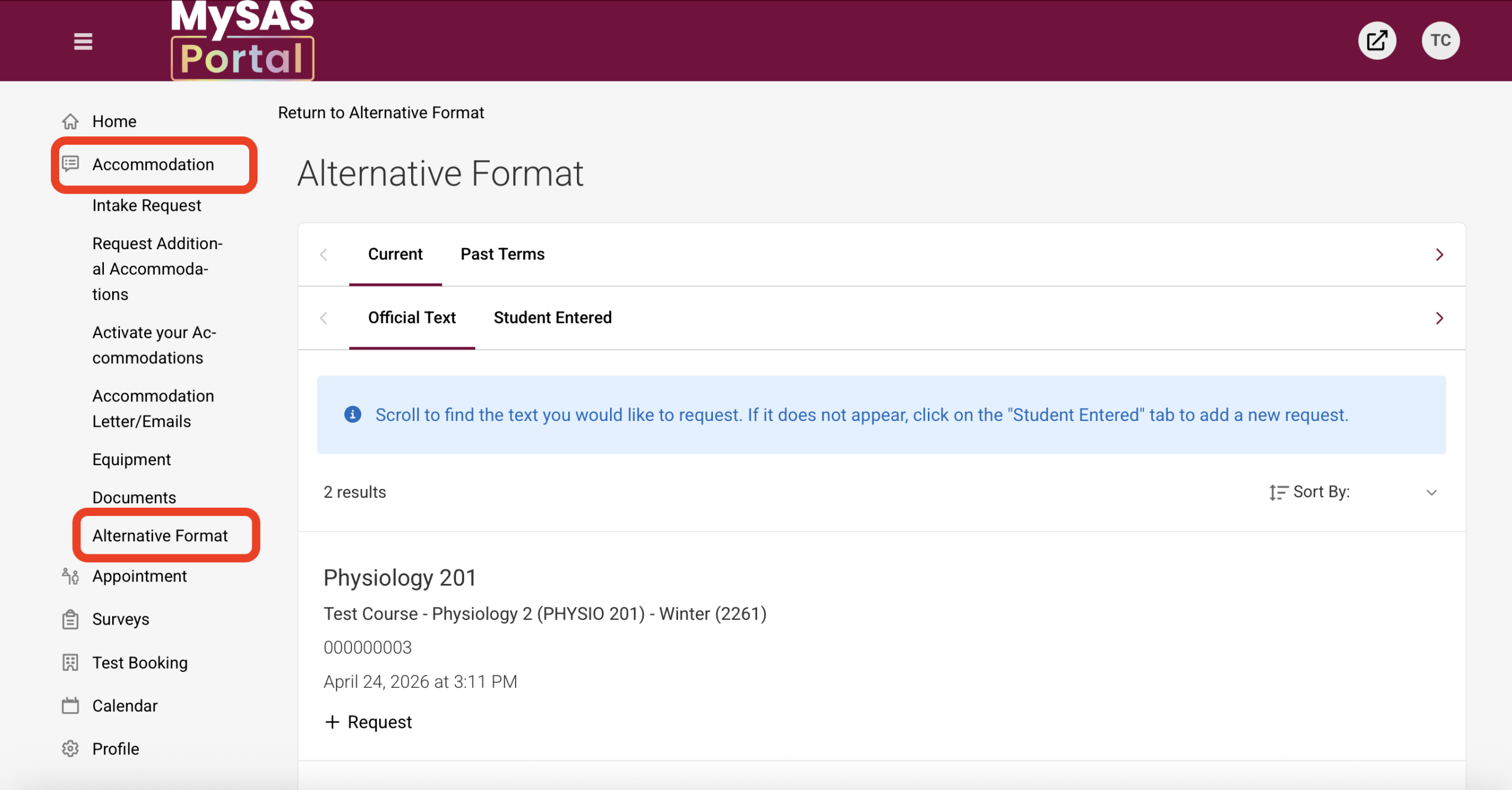
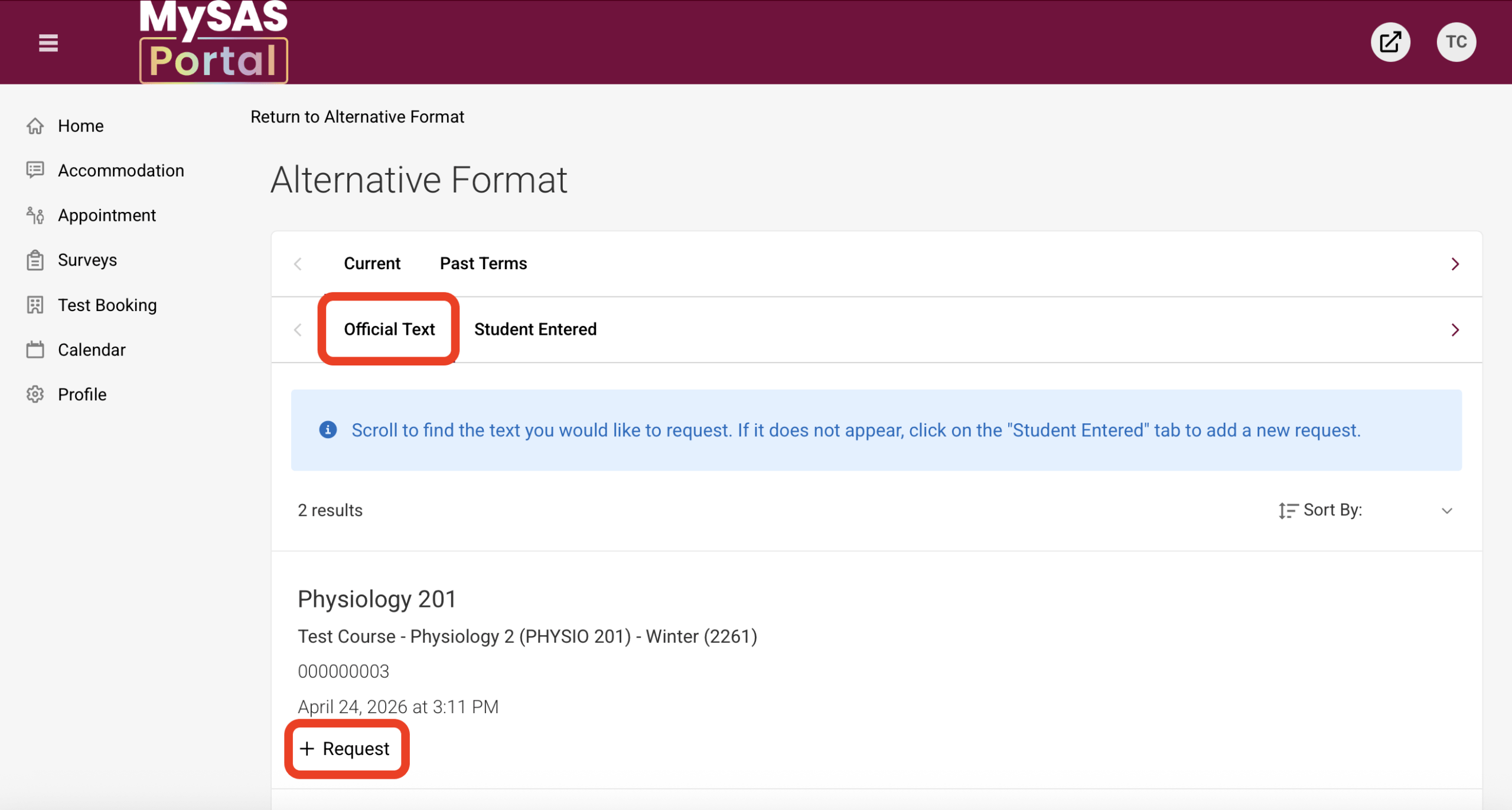
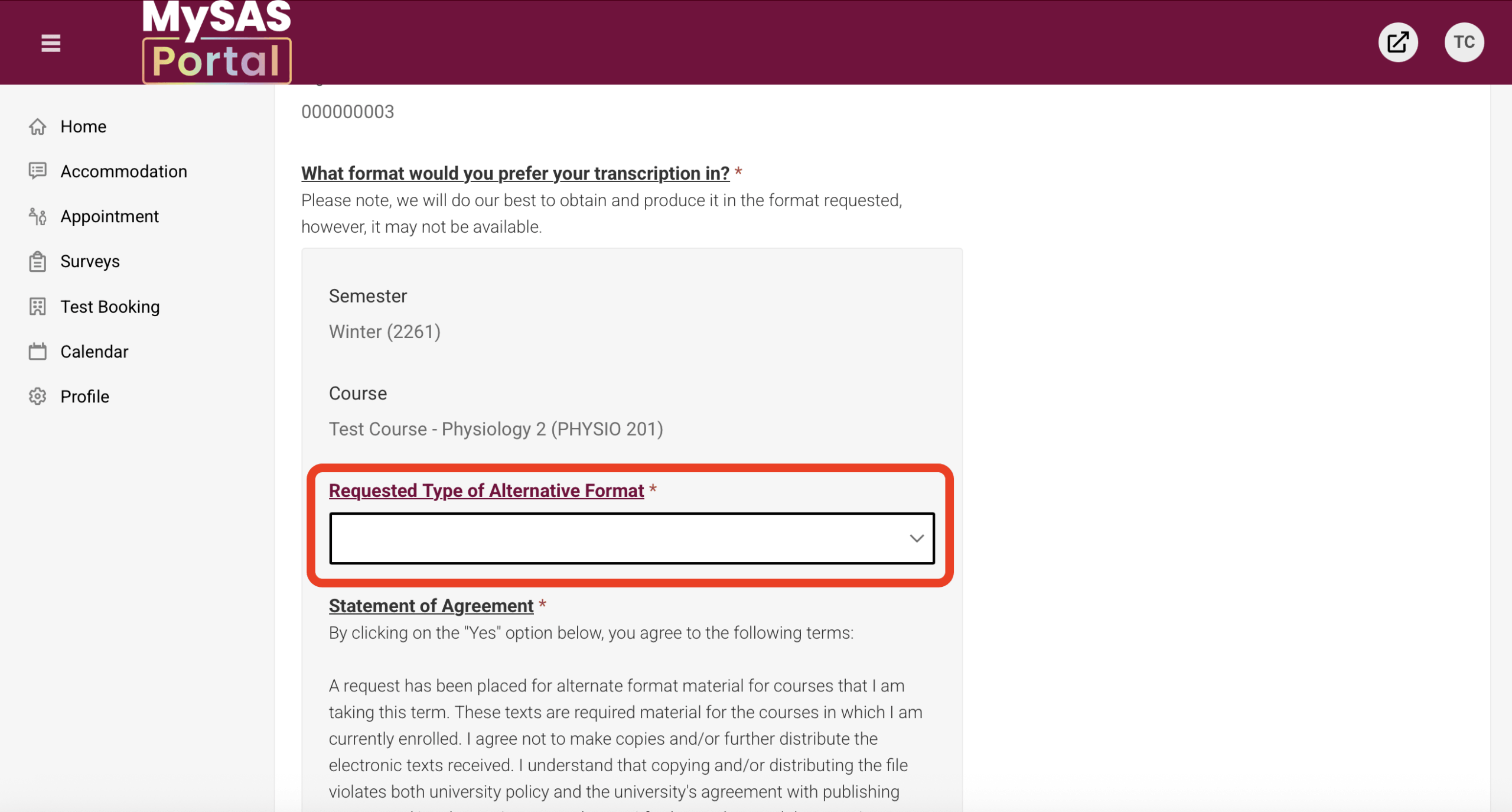
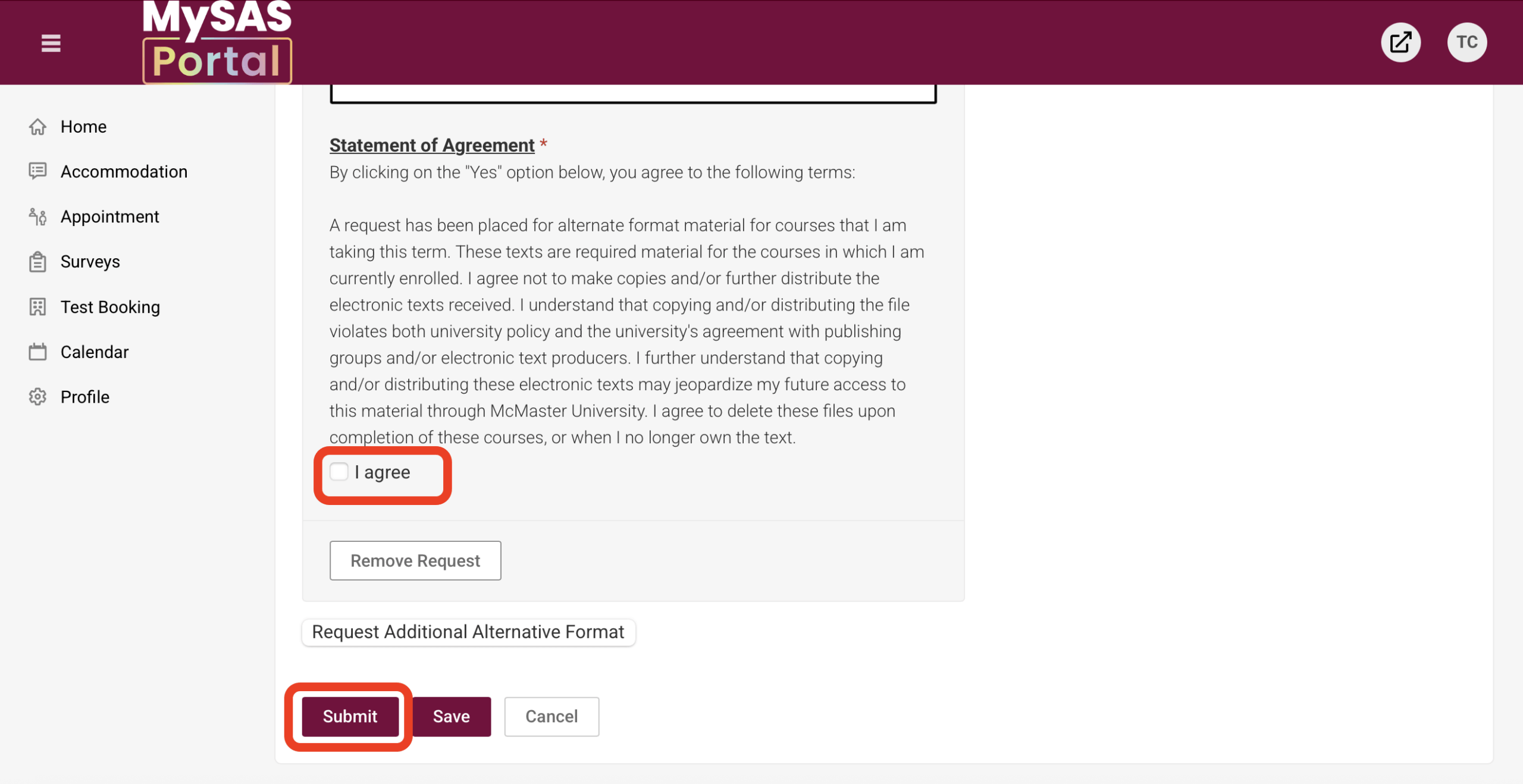
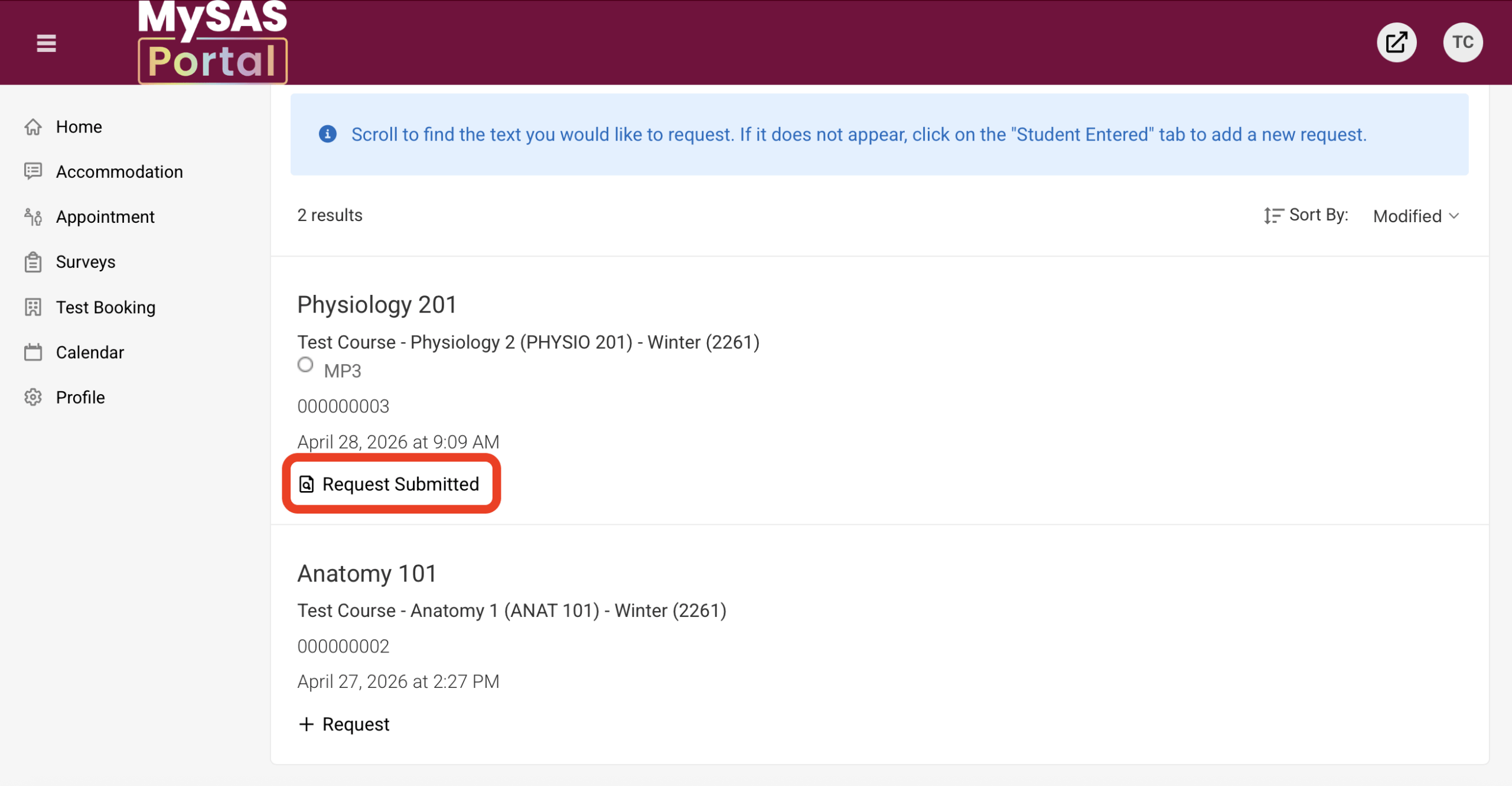
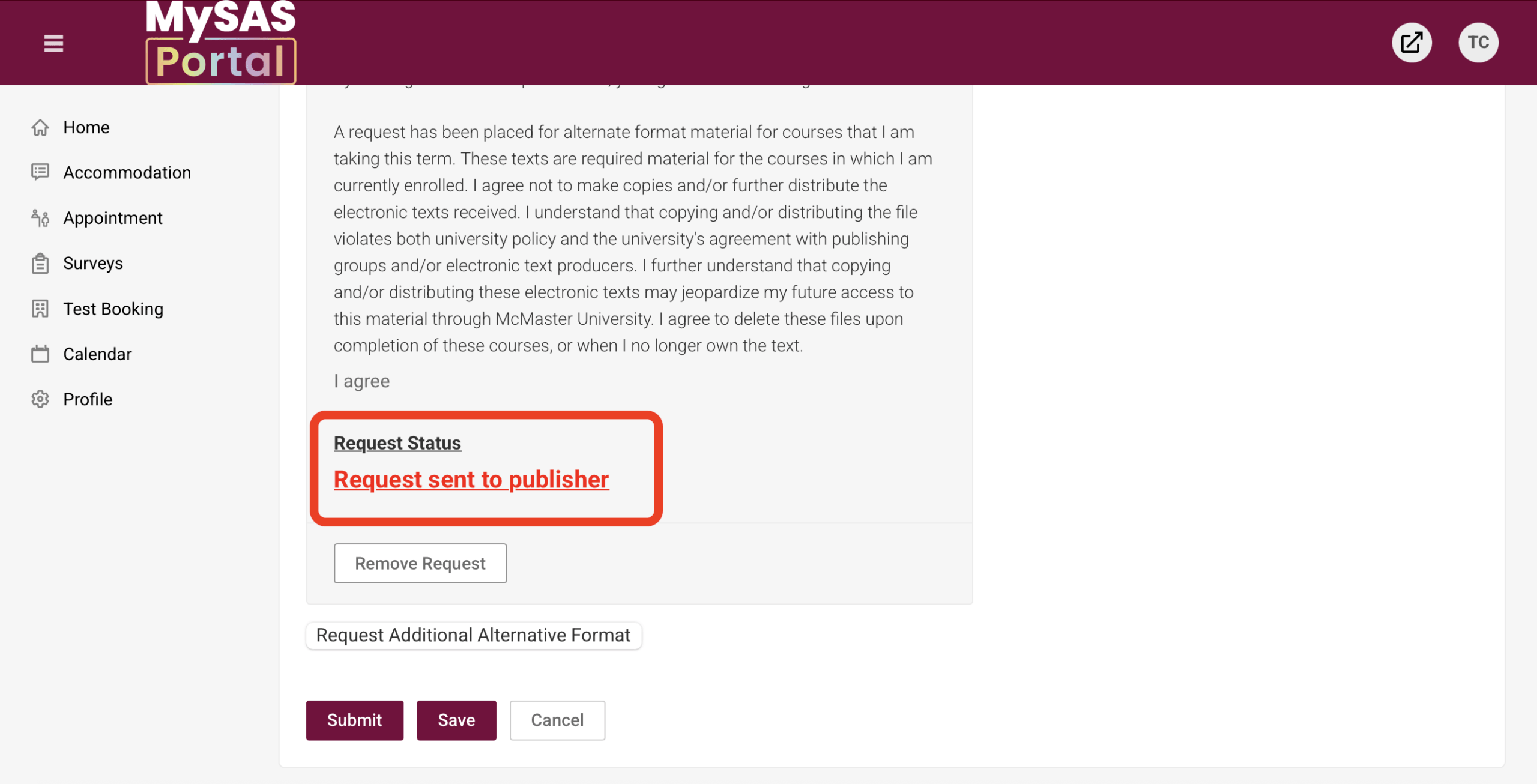
Visual instructions: Click on the screenshots to expand.
Request Alternate Format Material – Text is Not Listed
- Login to MySAS Portal.
- Click “Accommodation” in the menu on the left.
- Click “Alternative Format”.
- Select the “Student Entered” tab.
- Click “Add New Alternative Format Request”.
- Select the Semester and the Course you are requesting alternate formats.
- If you are requesting alternate format materials for a future semester, please complete this form.
- Enter the textbook title and edition, author, and ISBN, if known.
- Use the dropdown menu to select the “Requested Type of Alternative Format”.
- Read the Statement of Agreement and select I agree.
- Click Submit.
Once submitted, Library Accessibility Services will review and process your request. To see your request status, click on the “Request Submitted” button and scroll to the bottom of the request.
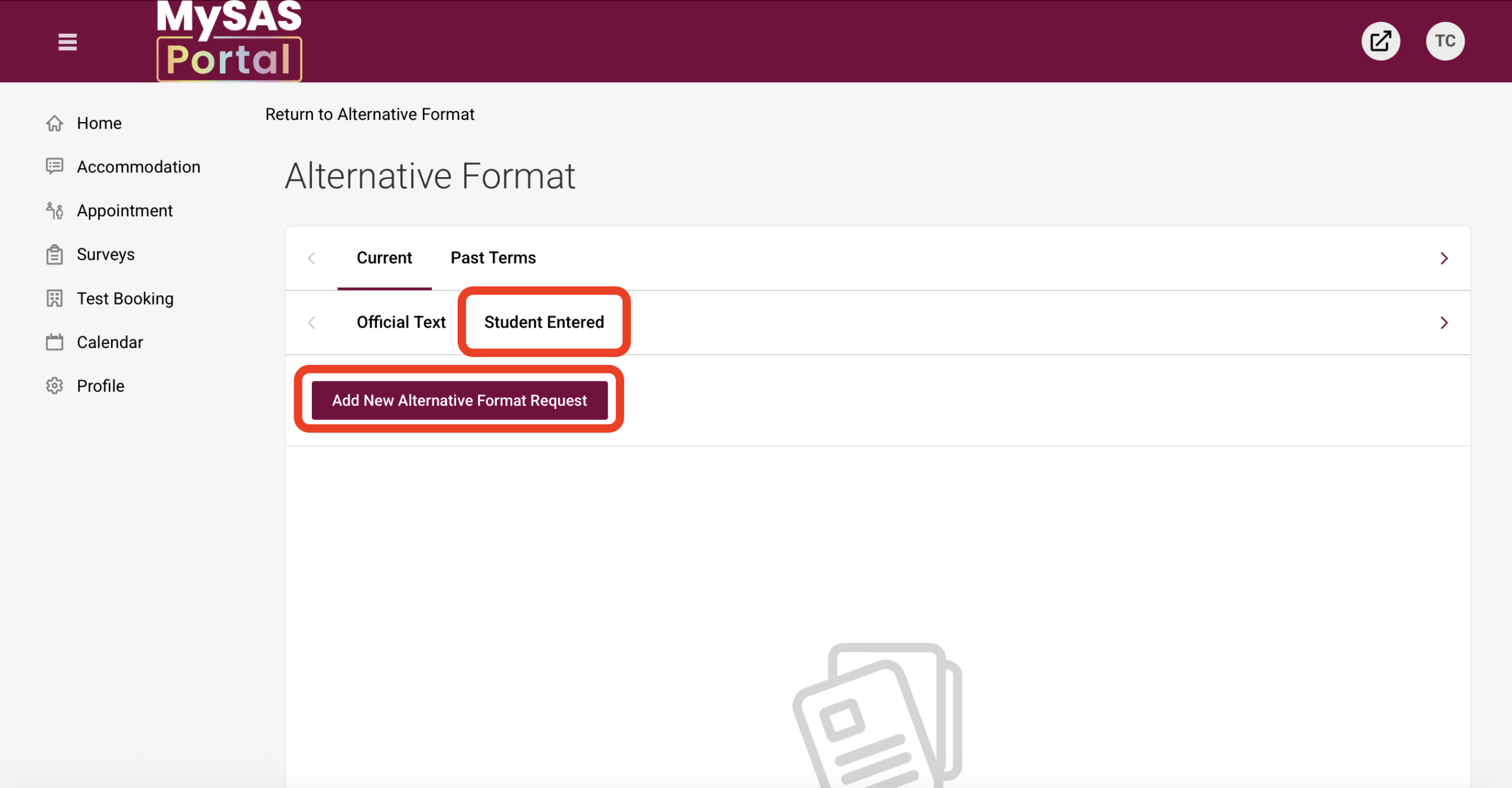
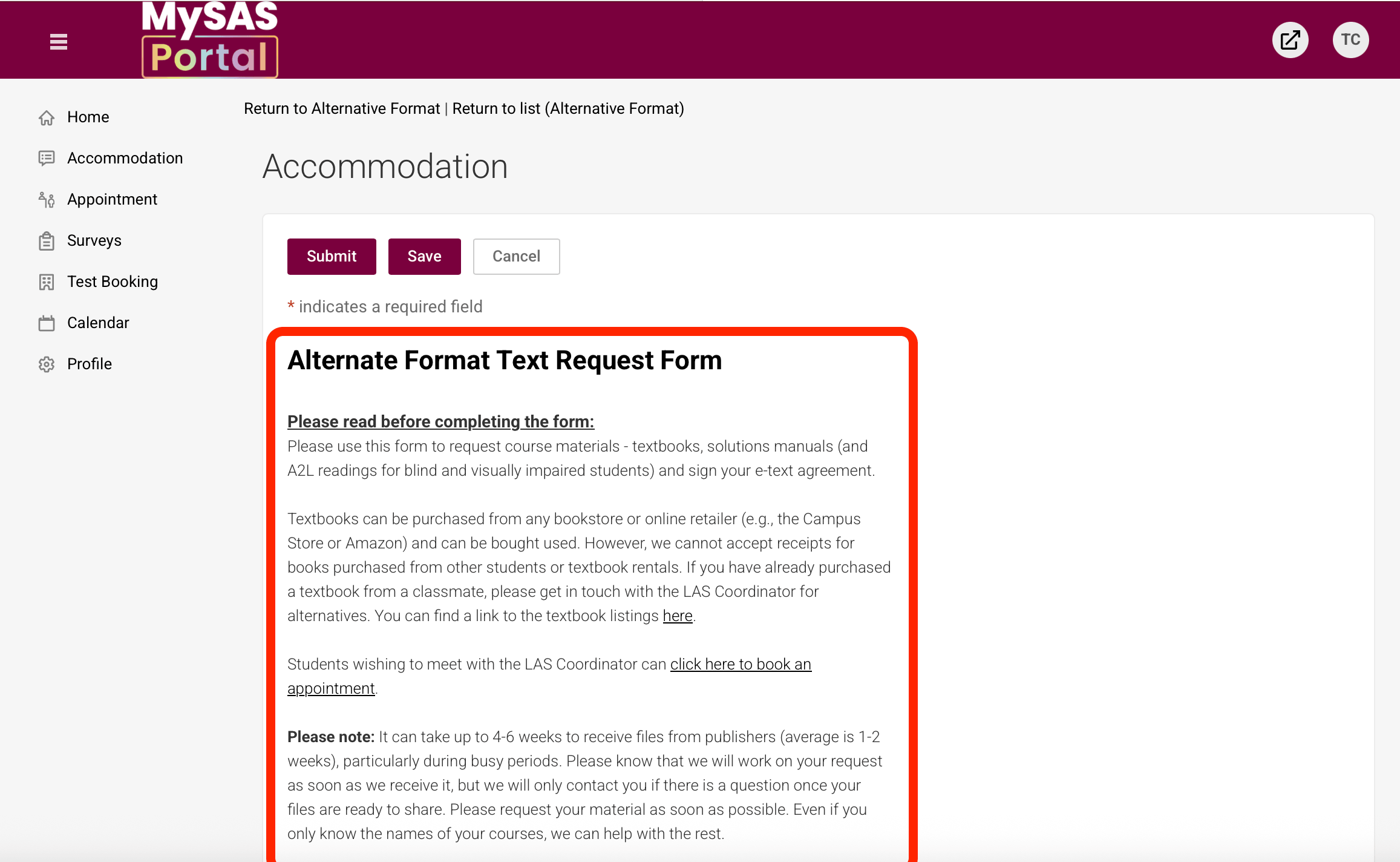
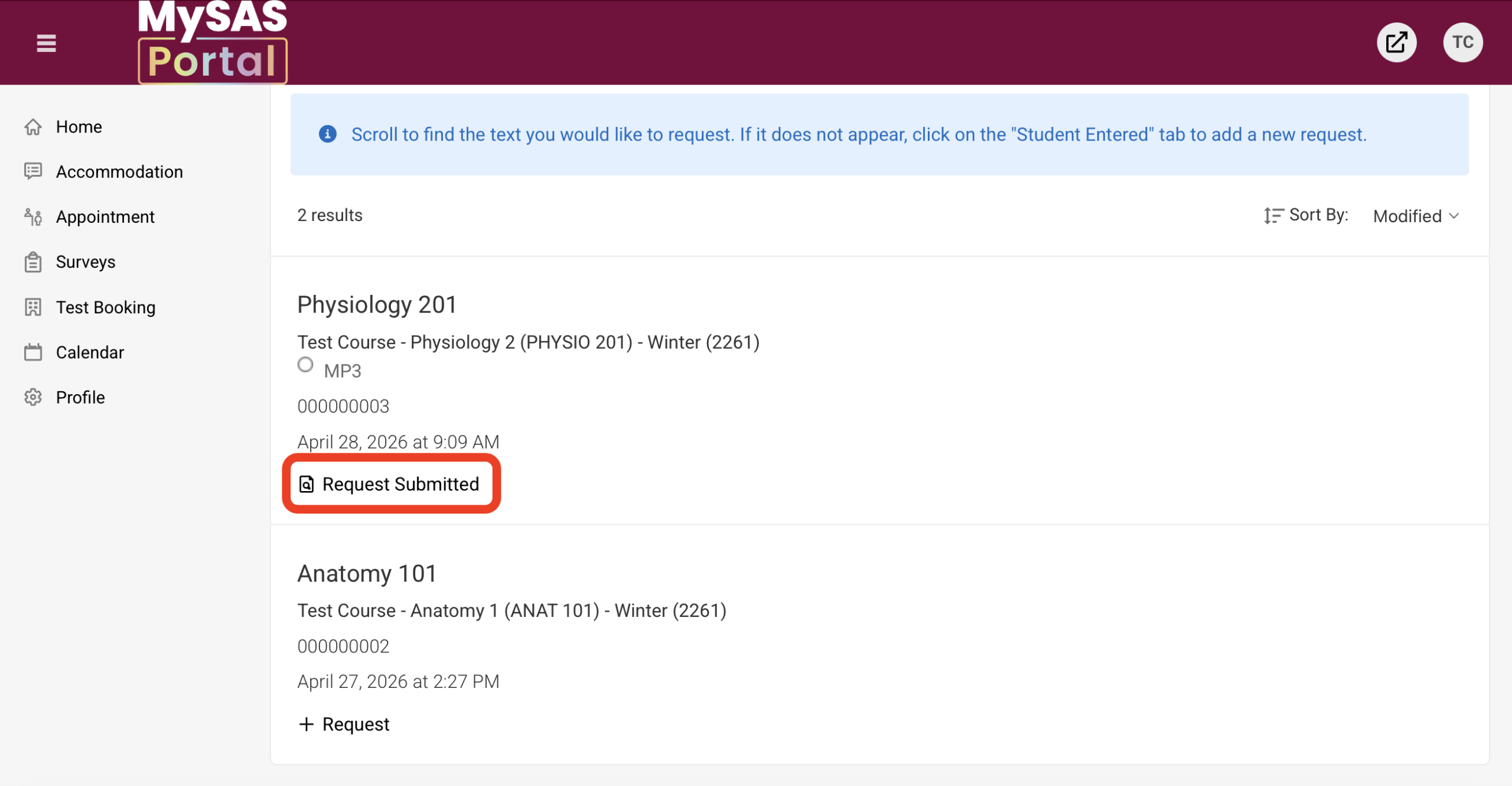
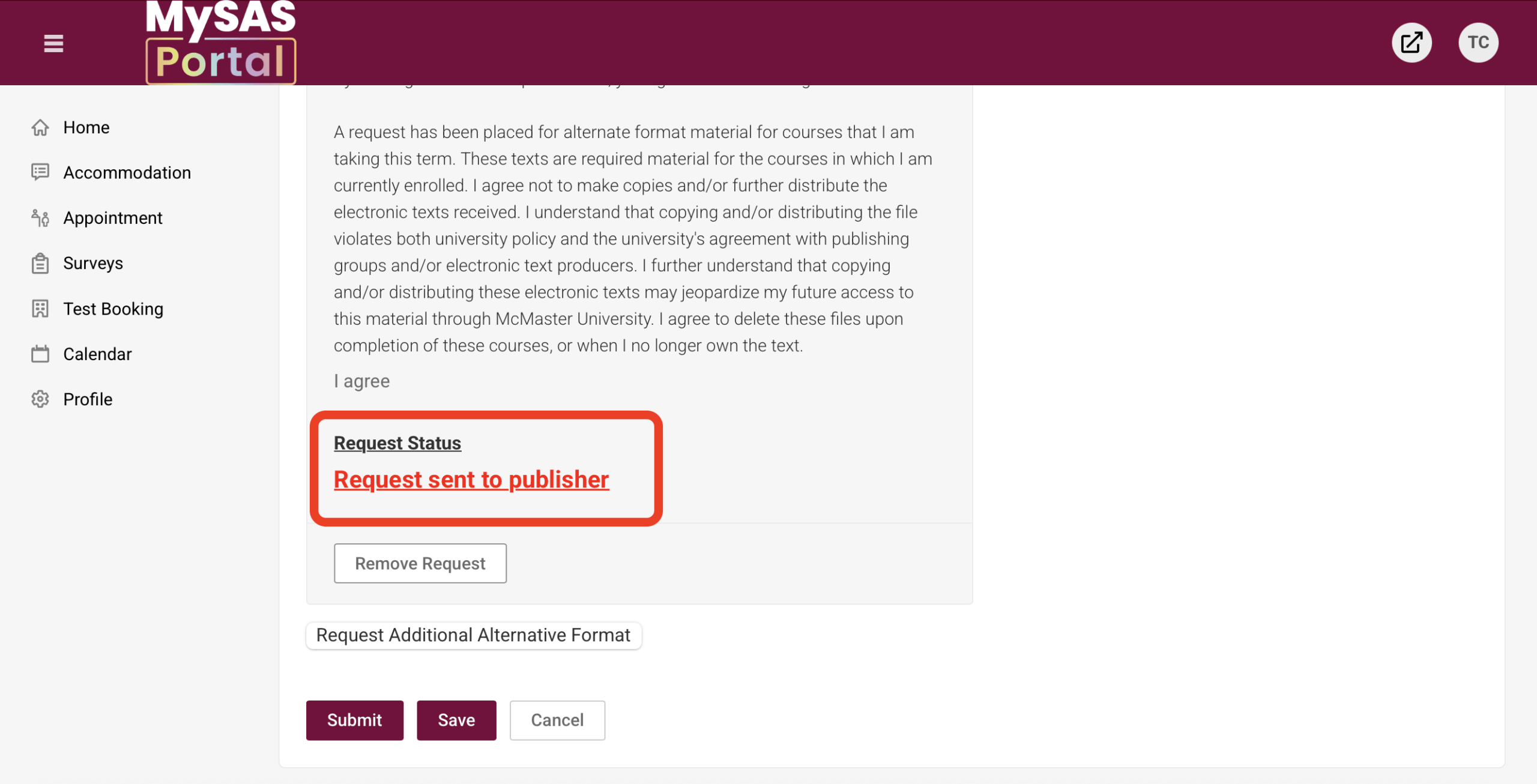
Visual instructions: Click on the screenshots to expand.