Book a Follow-Up Appointment
Follow-up appointments are 45 minutes long. You can meet in person or virtually.
Instructions
You may want to book a follow-up if:
- You’re having difficulties in your courses
- You have questions about your accommodations
- You want to discuss additional accommodations
Here’s how to book a follow-up appointment:
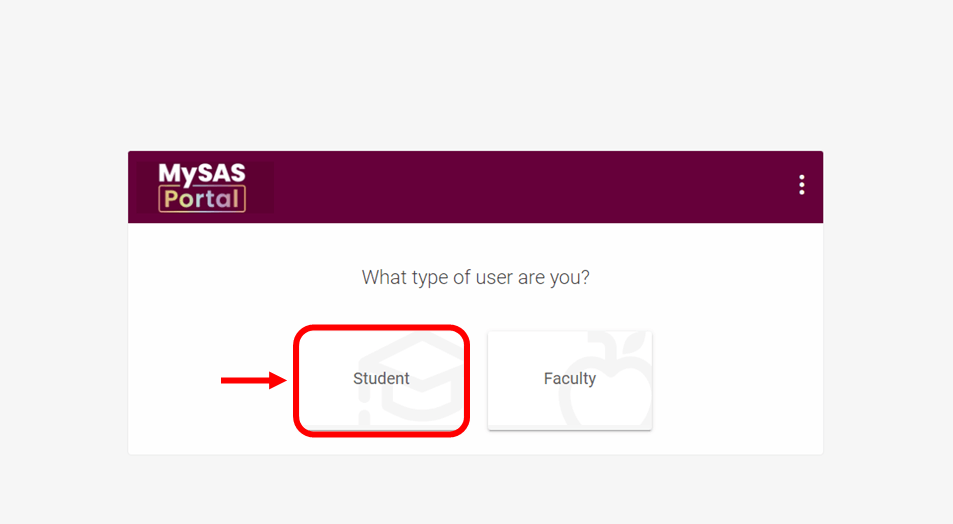
- Log in to MySAS Portal.
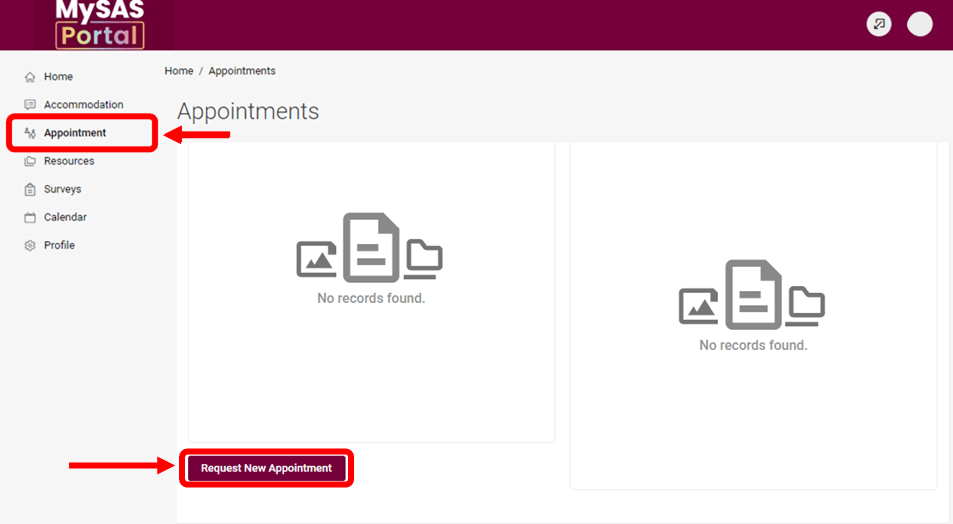
- Click “Appointments” in the menu on the left.
- Request a new appointment by completing the form.
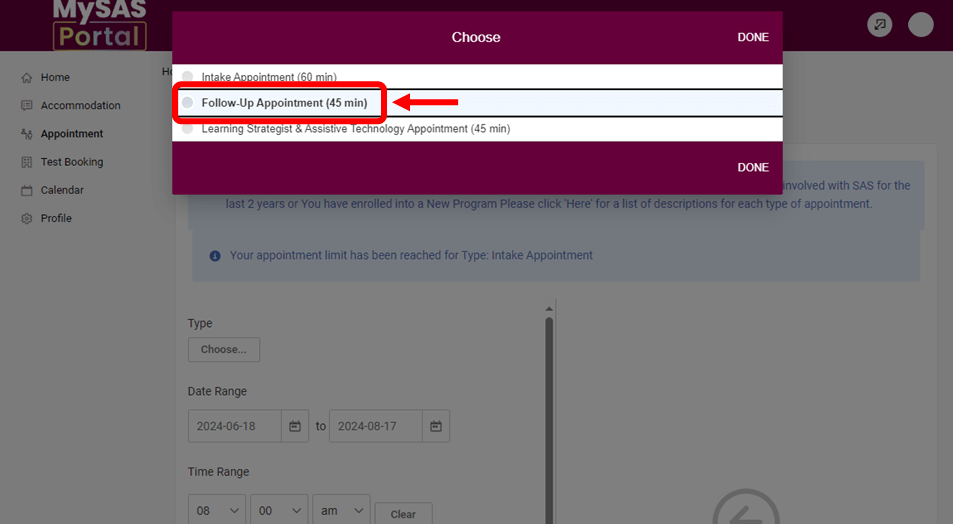
- Choose “Follow-Up” or “Assistive Technologist & Learning Strategist” from the list of appointment types.
- Review and select a time. We recommend checking your calendar and timetable first. Appointments can be virtual or in person. Note: All appointments take place Monday to Friday, 8:30 a.m. to 3:30 p.m.
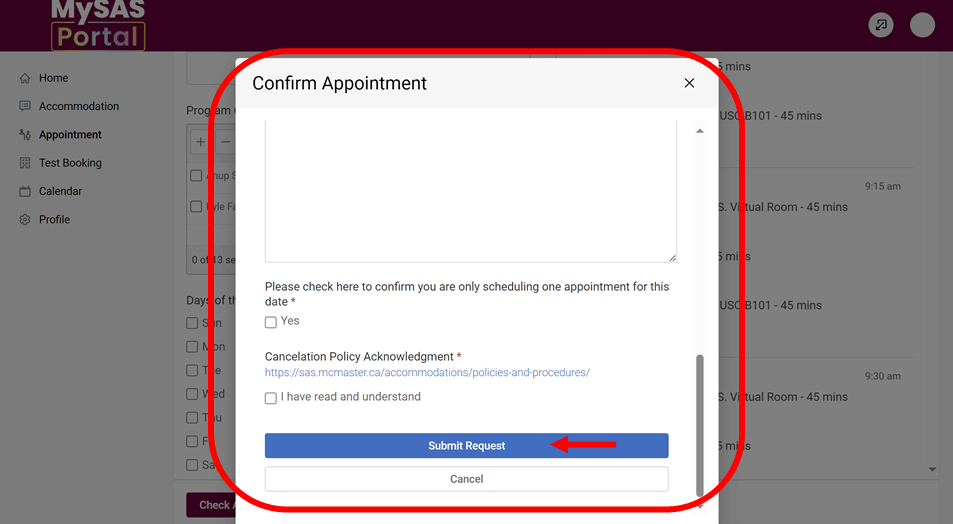
- Confirm your appointment.
- Tell us about the reason for your appointment in the pop-up.
- Click to confirm that you’re only booking one appointment and acknowledge the cancellation policy.
- Click “Submit Request.”
We’ll email you your appointment details. We recommend adding to your calendar and setting up reminders. Please provide at least 24 hours’ notice to cancel an appointment. Read our appointment cancellation policy: Policies and Procedures.

Continuing Your SAS Journey
Review these pages for instructions on other MySAS Portal processes.