
Submit New Test Information
Instructions
- Log in to MySAS Portal.
- On the home page, select the “Submit New Test” button. A new window will appear.
- Follow the form instructions.
- Select the course(s) that you are submitting test information for.
- If the test applies to multiple sections/cross-listed courses that you teach, select them all.
- If you are not listed as an instructor for the course in Mosaic, the course will not appear in the list
- Format the test title as “COURSE-TEST NUMBER-DATE & TIME.”
- Example. ENG 1P13 – Midterm 1 – Oct. 9 @ 1:30 PM
- Select the test date within the calendar. Please ensure the start date and end date are the same.
- Select the test start time from the drop-down.
- Enter the base duration (minutes) of your test in the drop-down.
- If your test follows universal design for learning (UDL), enter the UDL duration (minutes) of your test in the drop-down.
- Indicate the alternate test date options for your test in the event a student cannot write at the original date and time.
- Indicate the alternative option(s) for your test in the event a student misses the test.
- Click the format of the test.
- Upload the test files.
- Test file (Test copies must be submitted at least five days before the test.)
- Test resources for the class (i.e., crib sheet, formula sheet)
- Include your contact information in the event we need to reach out during the test.
- Include any other special instructions we should know about your test.
We’ll receive the test information after you submit the form. You can view and edit the submitted test information by selecting Test Information in the menu on the left.
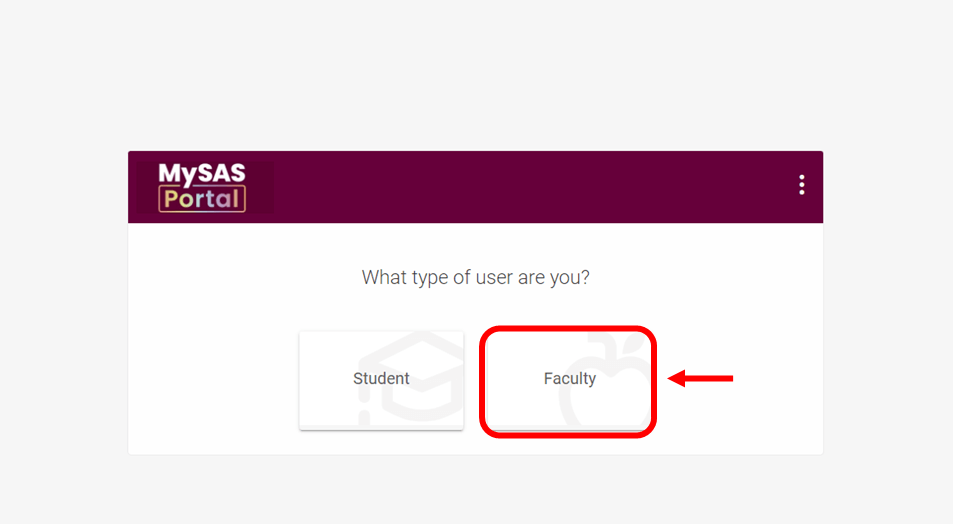
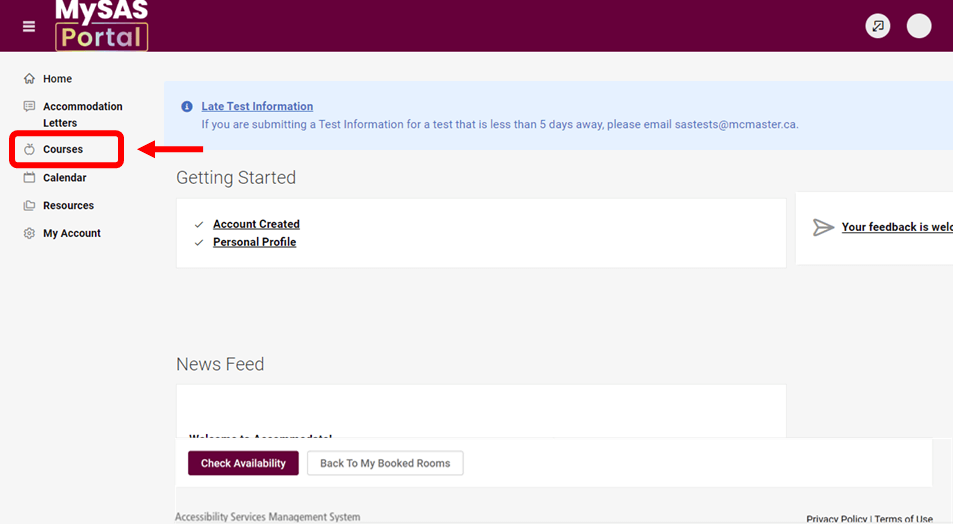
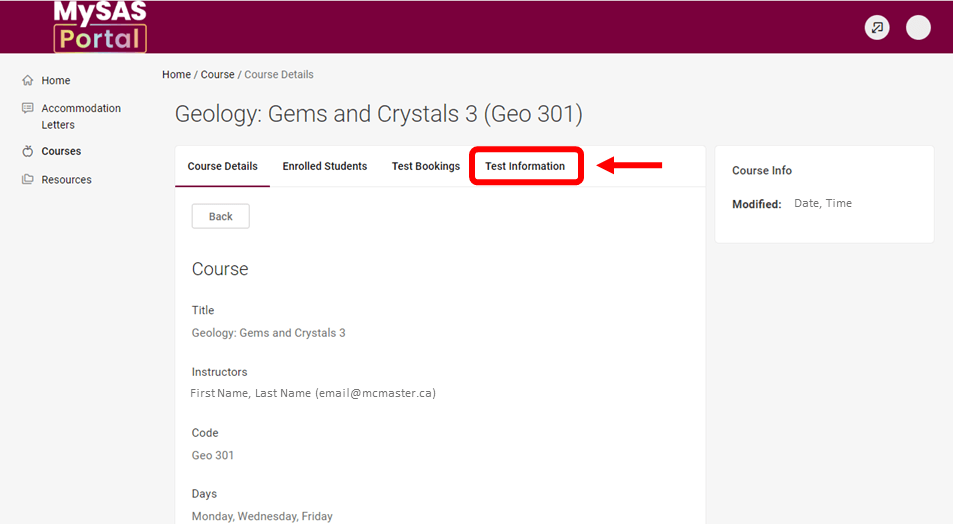
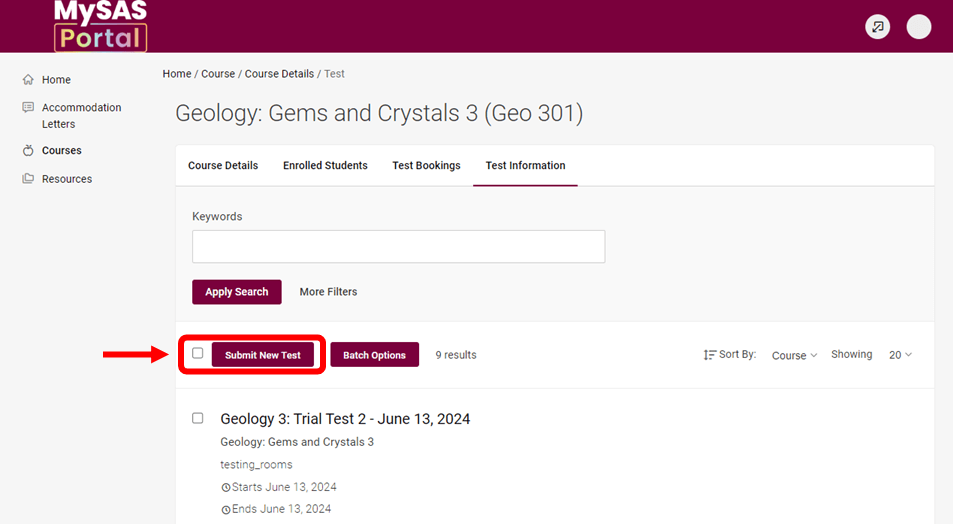
Visual instructions: Click on the screenshots to expand.
Email Memory Aids/Formula Sheets to SAS
- If students have accommodations for memory aids and/or formula sheets, they must submit them to you for review at least five calendar days before the test/exam.
- After the review, please email the approved memory aid/formula sheet to sastests@mcmaster.ca at least two calendar days before the test/exam.
- We will then print and include the memory aid/formula sheet within the student’s testing materials.
- If you are already allowing students to use a crib sheet for the test, this meets both accommodations.