





1. Complete the Collection of Personal Information Form
When you log in to MySAS Portal, the collection of personal information form will automatically appear. You will need to complete this first before accessing the rest of MySAS Portal and the intake form.
Note: You will need to complete this form every semester once you are registered with SAS.
2. Complete the Intake Form
Estimated average time: 10 to 15 minutes
Instructions
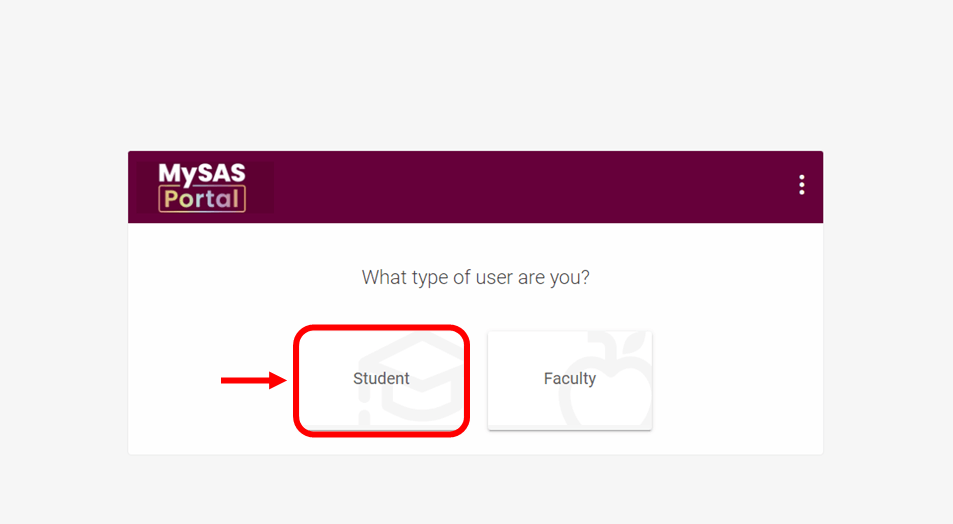
- Log in to MySAS Portal.
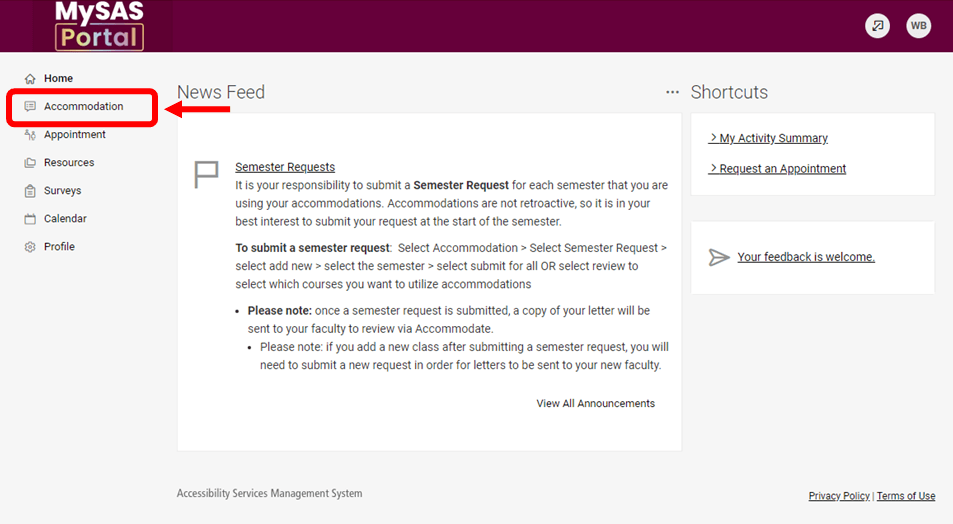
- Click “Accommodation” in the menu on the left.
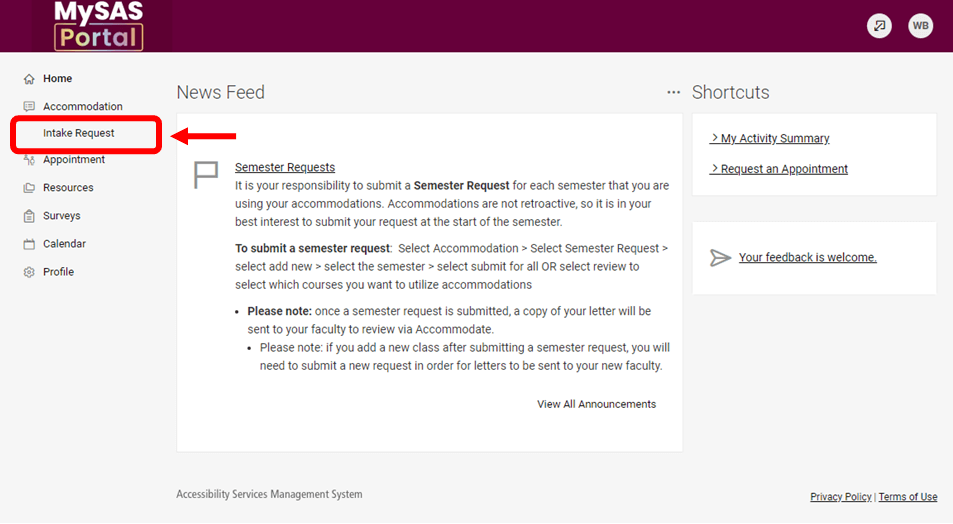
- Click “Intake Request” in the menu.
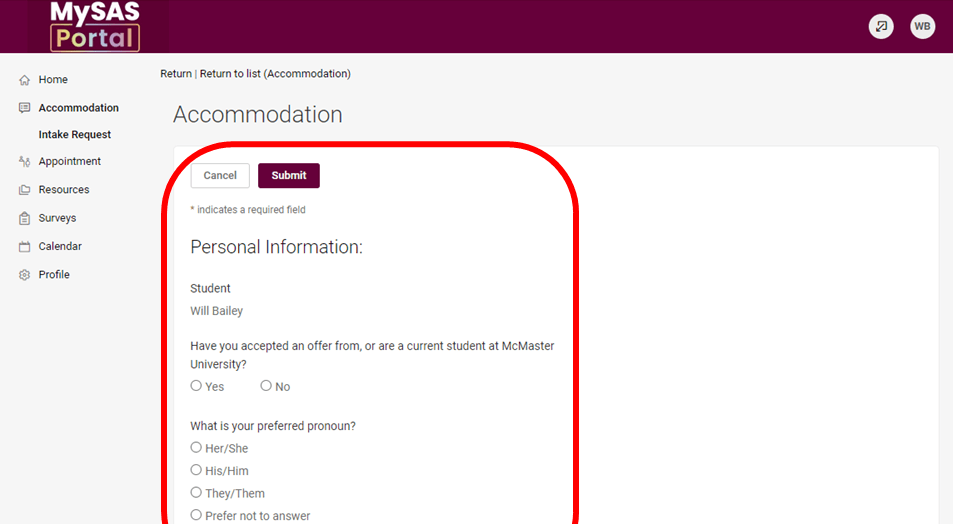
- Complete the intake form. Make sure to fill out all the required fields.
Next, proceed to upload your documentation. This is required before you can book an intake appointment.
3. Upload Your Documentation
Estimated average time: 3 to 5 minutes
Instructions
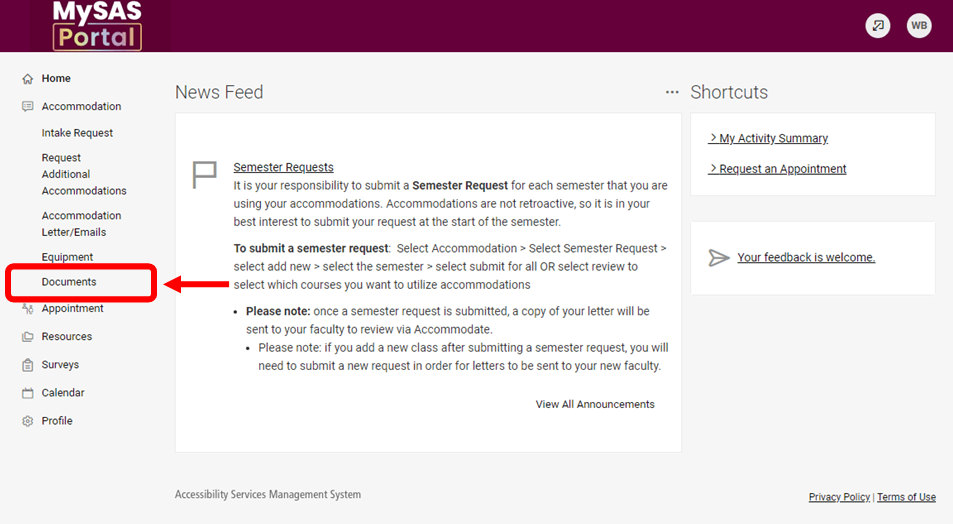
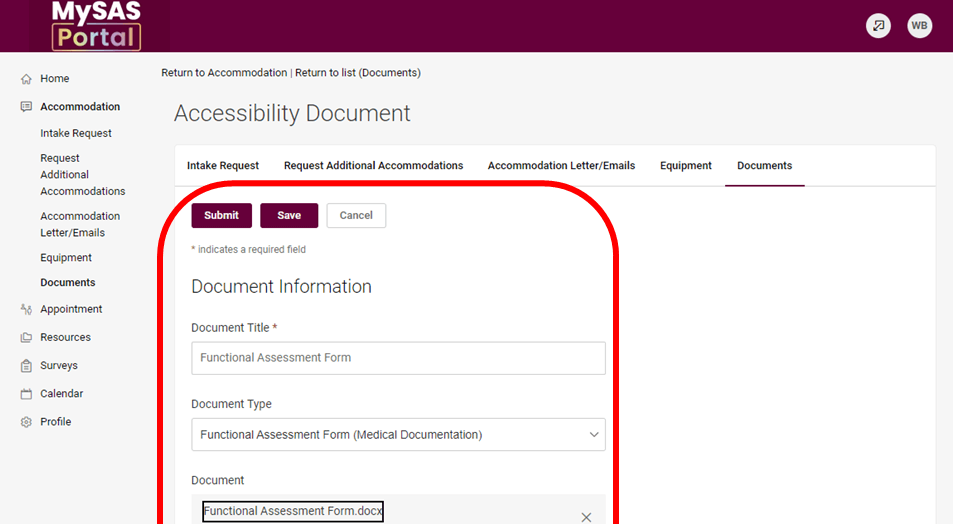
Refer to the documentation guide for details on what to provide. Then, once you have the documentation, complete these instructions to upload. You must submit documentation before moving forward with the process.
- Log in to MySAS Portal.
- Click “Accommodation” in the menu on the left.
- Click “Documents” in the menu.
- Upload your documentation or assessment of functional impairment (AFI).
- Click save and submit your request.
Next, we’ll review and confirm your eligibility. Then, we’ll email you to book an intake appointment. Please note that you will be unable to book an intake appointment until you have received this email.
4. SAS Review Process
Once you have submitted your documentation, our office will review the file(s). We will then call and email you to book an intake appointment or if we need anything else to continue with the process.
5. Book an Intake Appointment
Estimated average time: 20 minutes
Instructions
Once you have received the “Request to Book Intake Appointment” email from SAS, proceed with the steps below:
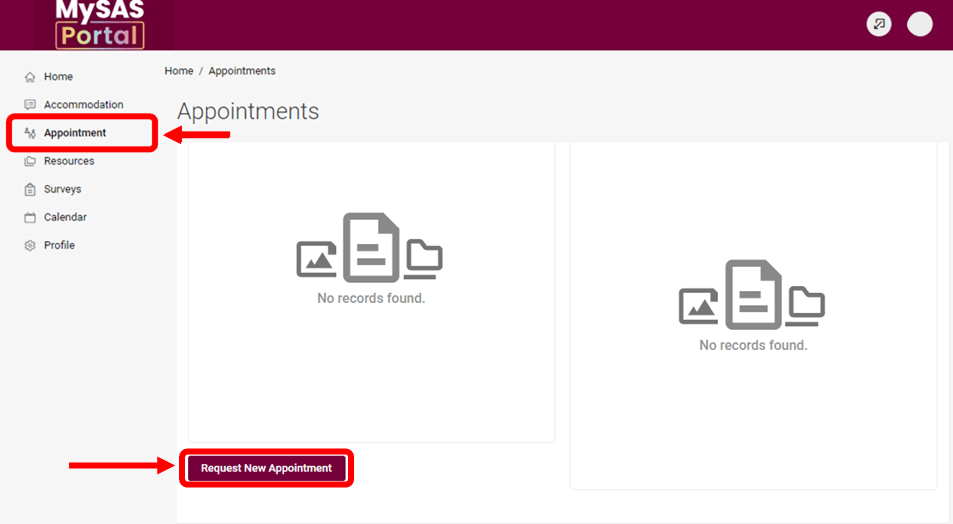
- Log in to MySAS Portal.
- Click “Appointment” in the menu on the left.
- Select “Request New Appointment”.
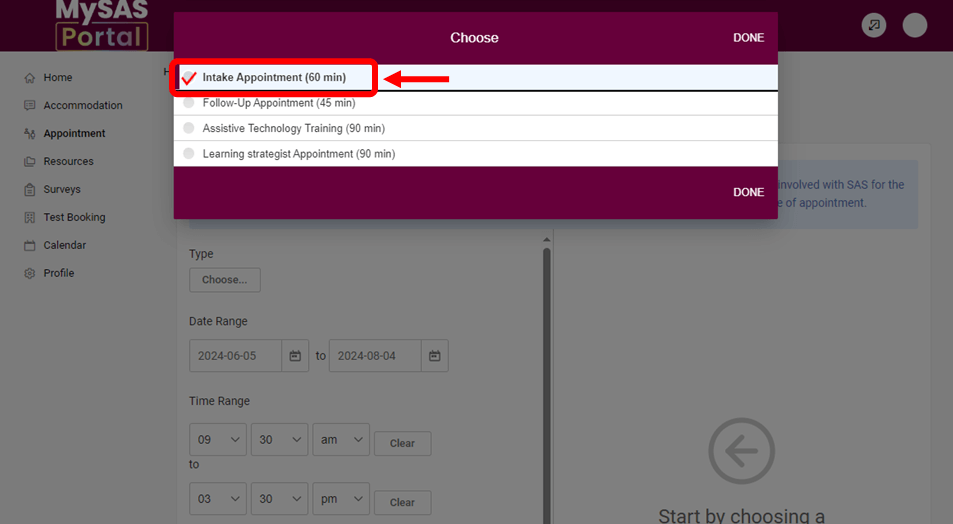
- Choose “Intake” from the list of appointment types.
- Review and select a time. We recommend checking your calendar and timetable first. Appointments can be virtual or in person. Note: All appointments take place Monday to Friday, 8:30 a.m. to 3:30 p.m.
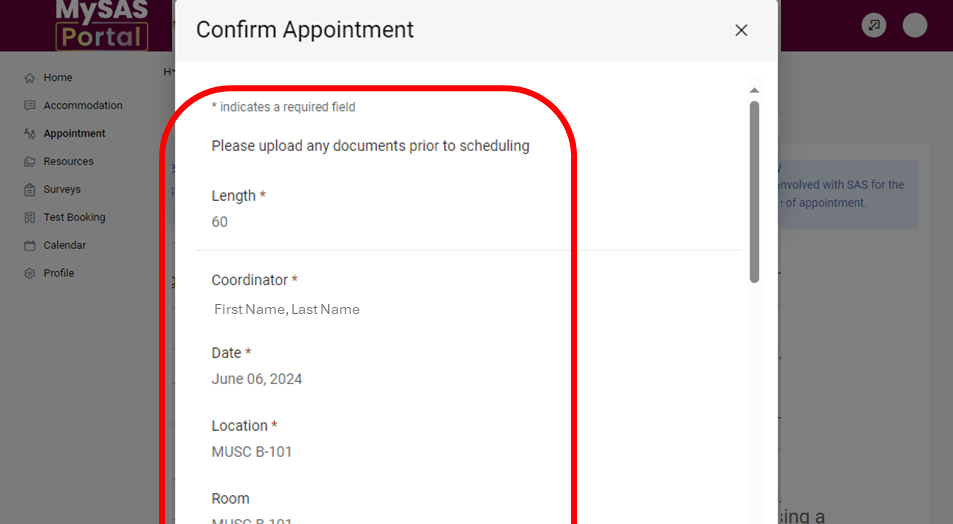
- Confirm your appointment.
We’ll email you your appointment details. We recommend adding to your calendar and setting up reminders.
Please provide at least 24 hours’ notice to cancel an appointment. Read our appointment cancellation policy.
6. Meet Your Program Coordinator
Appointment length: 60 minutes
What to Expect during your Intake
- You will meet your SAS program coordinator.
- Your program coordinator will review your information and documentation. They may ask follow-up questions during this process.
- This conversation will help them determine how to best support you. This may include creating an accommodation plan and/or referring you to campus resources.
- Feel free to ask questions! This is an important part of your accommodation journey with SAS.
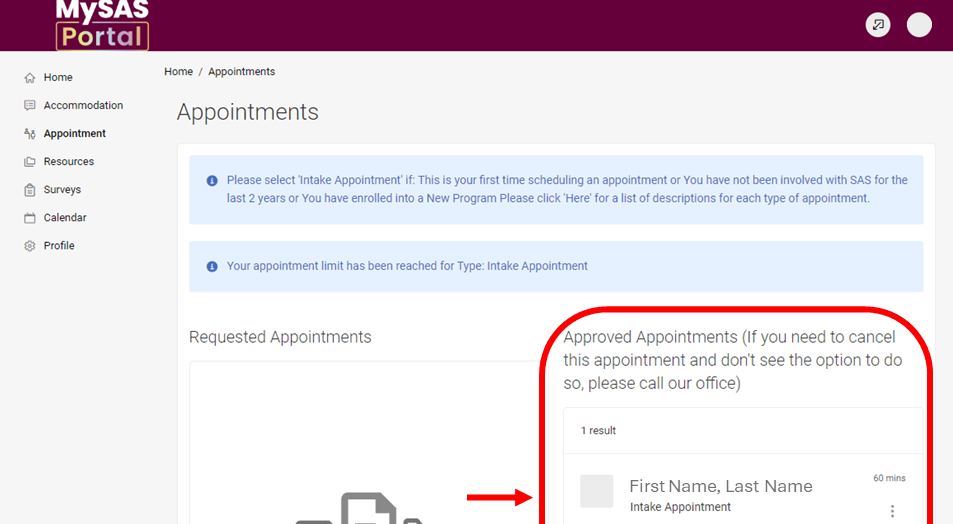
Need to check your appointment details? Find the confirmation email in your McMaster inbox. You can also view them on MySAS Portal.
- Log in to MySAS Portal.
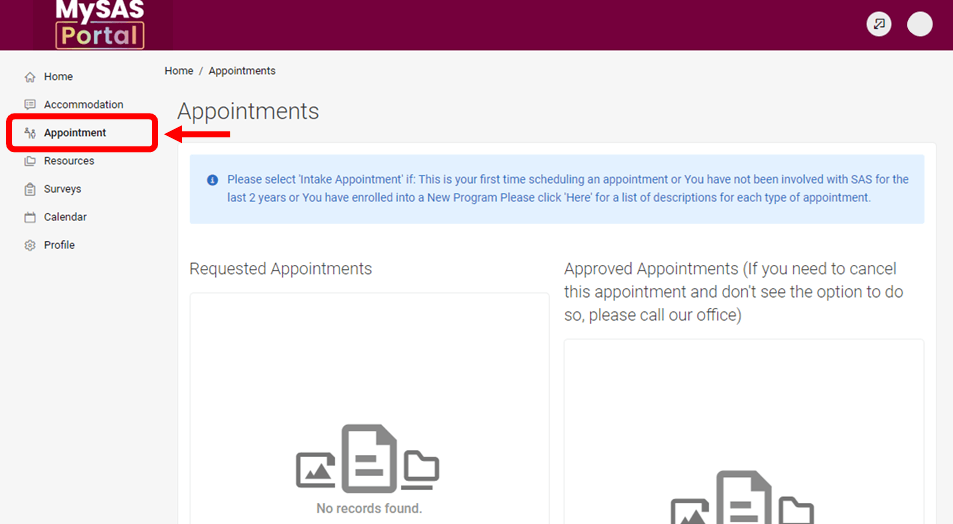
- Click “Appointment” in the menu on the left.
- View your appointment details in the “Approved Appointments” section on the right.
You have now completed the SAS registration process
- To receive your accommodation letter, please proceed to activate your accommodations.
- If you are in a medicine program, your program coordinator will review a different process with you.

Continuing Your SAS Journey
Review these pages for instructions on other MySAS Portal processes.